














Register

Use the Audio Panel as a Checklist

Gemini Sparkle

Key Takeaways:

  • The article suggests using the aircraft's audio panel as a systematic checklist for setting up avionics during IFR flights.
  • Pilots should go button-by-button (Comm 1, Comm 2, Nav 1, Nav 2, DME, ADF, Marker Beacon) to strategically set active and standby frequencies and verify navaid functionality via Morse code.
  • This method ensures all critical frequencies and settings are properly configured and verified, enhancing efficiency and allowing pilots to focus on flying, especially during busy phases like departure or approach.
See a mistake? Contact us.

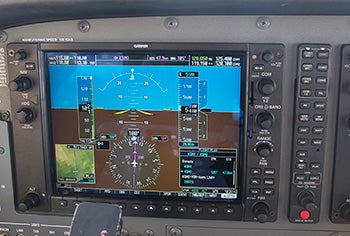
When setting up for an IFR flight, there is no lack of things to remember. Mnemonics and checklists are very helpful in making sure that you don’t forget anything while setting up for a departure or an approach. One way to make sure that your avionics are set up properly is to use the audio panel as a checklist.

Simply go from button to button and set the appropriate frequency or setting for each one. And for navaids within range, don’t move on to the next button until you have verified the Morse code to ensure the station is functioning properly.


Pia Bergqvist

Pia Bergqvist joined FLYING in December 2010. A passionate aviator, Pia started flying in 1999 and quickly obtained her single- and multi-engine commercial, instrument and instructor ratings. After a decade of working in general aviation, Pia has accumulated almost 3,000 hours of flight time in nearly 40 different types of aircraft.

Ready to Sell Your Aircraft?

List your airplane on AircraftForSale.com and reach qualified buyers.

List Your Aircraft
AircraftForSale Logo | FLYING Logo
Pilot in aircraft
Sign-up for newsletters & special offers!

Get the latest stories & special offers delivered directly to your inbox.

SUBSCRIBE