Register

Garmin GPSMap 696

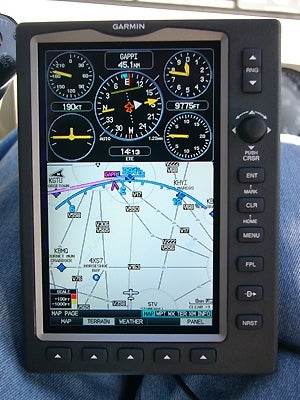
The split screen allows you to customize your display; the IFR map (with airways!) beneath the panel page with GPS-derived data. Photos By Robert Goyer
Gemini Sparkle

Key Takeaways:

  • Garmin's FliteCharts are easy to view and use, despite being slightly smaller than traditional paper charts.
  • The system allows for easy approach selection, though it may not always include every desired waypoint.
  • The IFR map feature can replace en route charts, providing detailed information on high and low airways, MEAs, and distances between fixes.
See a mistake? Contact us.
fl0209_garmin_004_300.jpg
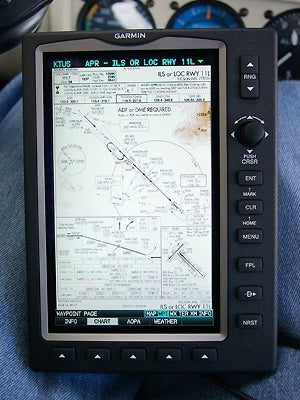
Slightly smaller than the actual paper chart, Garmin’s FliteCharts are still easy to see and work with.
fl0209_garmin_003_300.jpg
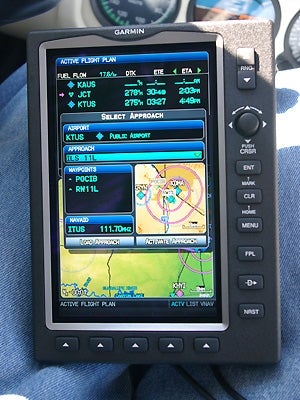
Selecting approaches is easy, though you won’t get all the waypoints you’re looking for.
fl0209_garmin_002_300.jpg
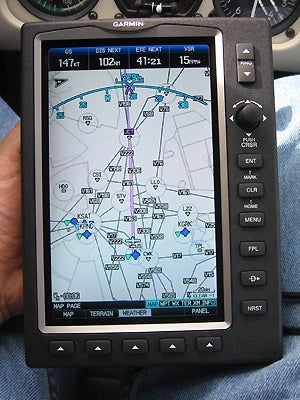
Who needs en route charts? The IFR map gives you clearly marked high and low airways, with MEAs, distances between fixes and more.

FLYING Staff

FLYING Magazine is a one-stop resource for everything aviation, including news, training, aircraft, gear, careers, photos, videos, and more.

Ready to Sell Your Aircraft?

List your airplane on AircraftForSale.com and reach qualified buyers.

List Your Aircraft
AircraftForSale Logo | FLYING Logo
Pilot in aircraft
Sign-up for newsletters & special offers!

Get the latest stories & special offers delivered directly to your inbox.

SUBSCRIBE