







Building Your IFR Nest Out Of Glass

A short IFR flight should be easier in a glass cockpit. Youve got all the information you need just a twist and a push away-so long as you know without thinking which knob to twist and which button to push.

Gemini Sparkle

Key Takeaways:

  • Pilots must achieve intuitive mastery ("buttonology") of glass cockpit systems to leverage their benefits, including knowing workarounds for common in-flight scenarios.
  • Optimize and customize screen configurations for different flight phases (IFR vs. VFR) to ensure critical information is readily accessible and efficiently displayed.
  • Always anticipate system failures and be prepared to utilize backup methods or revert to traditional navigation techniques when they are more effective or necessary.
See a mistake? Contact us.

A short IFR flight should be easier in a glass cockpit. You’ve got all the information you need just a twist and a push away—so long as you know without thinking which knob to twist and which button to push.


There are a couple factors in doing that well. The first is just knowing the buttonology of your system without thinking about it. That’s more than which way to turn a knob to get the screen you want; it’s also how to work around common issues. For example, if you miss the approach at airport A and you need to create a new flight plan to airport B, what’s the best way to build a new flight plan without losing the holding fix you’re still using on your active flight plan? How do you get the autopilot to follow the rock-solid GPS signal while you watch the VOR needles for a VOR approach?

You’ll want to think about the best way to present data for different phases of flight. On a G1000, the weather page is always north up, so it can be a great way to quickly get a north-up orientation on an approach to cross-check with a north up chart or approach plate. Many pilots with twin 400/500-series Garmins will set up the traffic page and then view their flight plan on that unit. The traffic screen is a quick push to view when needed. It’s often good to have an IFR set-up and a VFR set-up to maximize your organization for each.

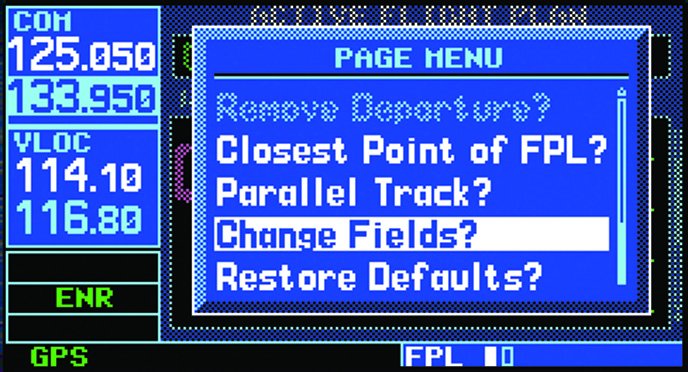
Be bold about customizing your screens, too. Do you like airport extensions? Turn ‘em on. Want to see distances instead of ETEs on your flight plan? Change it. Put the information you need where you can find it quickly.

That all said, you want to consider failures. It’s great to always have the CTAF ready in your number two com, except when number one fails and number two has to do everything. Along with that is knowing when the old way is easier. Sometimes it’s faster to dial in a frequency you wisely jotted down earlier rather than go hunting for it on some obscure waypoint page. —Jeff Van West

Ready to Sell Your Aircraft?

List your airplane on AircraftForSale.com and reach qualified buyers.

List Your Aircraft
AircraftForSale Logo | FLYING Logo
Pilot in aircraft
Sign-up for newsletters & special offers!

Get the latest stories & special offers delivered directly to your inbox.

SUBSCRIBE